
Streamline your commercial apparel production with our interactive online Custom DTF Gangsheet Builder, engineered to give you complete visual control over your printing layouts. This intuitive web tool allows you to easily upload, resize, rotate, and arrange multiple graphics onto a single continuous roll, maximizing every square inch of film space. Offering precise scaling tools, real-time resolution tracking, and absolute alignment accuracy, our Custom DTF Gangsheet Builder ensures your vibrant designs print with retail-ready quality while significantly cutting down production waste.
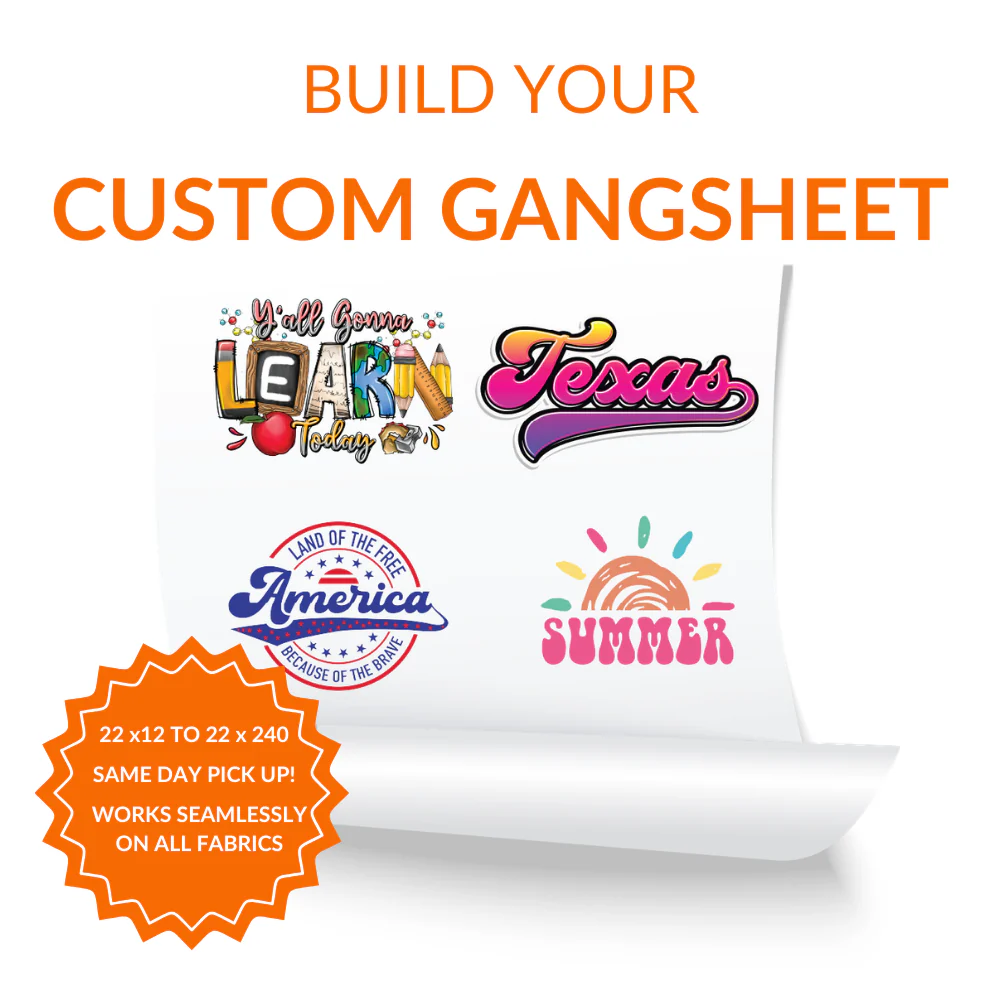
Take Total Control of Print Layouts with Our Custom DTF Gangsheet Builder
Manually preparing intricate print layouts in complex desktop design programs can be an incredibly tedious task, especially when handling varying logo sizes. Our advanced Custom DTF Gangsheet Builder eliminates these technical barriers by providing a seamless, drag-and-drop web dashboard directly in your internet browser. This layout tool gives apparel decorators, clothing brands, and independent artists the power to configure their custom artwork instantly onto a single continuous film canvas.
By nesting your graphics manually inside the virtual Custom DTF Gangsheet Builder workspace, you ensure that no print media goes to waste, which directly increases your business profitability. The user-friendly interface displays real-time dimension measurements, allowing you to scale individual designs down to the exact fraction of an inch needed for your garments. This automated efficiency helps print shops optimize their workflow, moving projects from the design phase to physical fulfillment with unmatched speed.
Advanced CMYK+W Technology for Ultra-Vibrant Fabric Graphics
The core performance of the transfers generated by our online layout application relies on premium commercial-grade ink chemistry and high-output printheads. When you finalize and submit a layout through the Custom DTF Gangsheet Builder, your project is printed on high-performance wide-format machinery. The system applies rich CMYK color pigments over a solid, perfectly opaque white ink base layer in a single high-speed pass.
This technical precision ensures that fine text, intricate illustrations, and complex photographic gradients print with absolute clarity on dark or light textiles. Utilizing the smart data from our Custom DTF Gangsheet Builder guarantees excellent color saturation that matches your original digital files with high fidelity. The results are striking graphics that resist color bleeding and look outstanding against challenging garment colors like deep blacks, navy blues, and bright neon polyesters.
Universal Fabric Adhesion and Rugged Wash Durability
Unlike traditional garment decoration methods that require unique ink formulations for different fabric types, digital film transfers offer unparalleled versatility. The roll layouts created using our Custom DTF Gangsheet Builder can be chopped up and applied to an immense array of textile items without any loss in performance. This includes standard 100% cotton t-shirts, moisture-wicking polyester jerseys, synthetic nylon jackets, heavy canvas tote bags, and rugged denim vests.
Our premium cross-linked adhesive powder guarantees that the cured print fuses permanently into the fabric matrix, forming an incredibly flexible chemical bond. Garments customized with layouts designed via our Custom DTF Gangsheet Builder can easily survive over 50 intense machine wash cycles without showing signs of cracking, peeling, or fading. The finished prints maintain an ultra-soft hand feel, stretching naturally with the garment fibers rather than creating a stiff feel.
Pro Layout Standards for Flawless File Composition Online
To ensure that your printed roll turns out sharp and crisp, following proper file preparation steps inside the web designer is highly beneficial. Before uploading graphics into the online Custom DTF Gangsheet Builder, verify that your source files are saved at a minimum resolution of 300 DPI with a transparent background. High-quality vector PDFs or clean PNG formats work beautifully to preserve razor-sharp edges and intricate linework.
As you arrange your design elements within the active canvas, leave an even spacing boundary of roughly 0.5 inches between adjacent graphics. Maintaining this safety margin provides your production team with plenty of room to cut out individual logos with scissors or rotary blades post-printing. Our intuitive Custom DTF Gangsheet Builder provides instant visual warnings if your image resolution drops too low, preventing accidental pixelation before your order goes into production.
Step-by-Step Heat Press Guide for Industrial-Grade Results
Achieving a beautiful retail finish relies heavily on applying the correct heat levels, precise duration, and uniform downward pressure during the application stage. Start by pre-pressing your target garment for 3 to 5 seconds to fully eliminate ambient fabric moisture and flat out stubborn wrinkles. Position your cut transfer graphic from the Custom DTF Gangsheet Builder onto the fabric, then press at 300°F to 320°F (150°C to 160°C) for 12 to 15 seconds.
Allow the transfer film to cool completely down to room temperature before performing a smooth, continuous cold-peel motion from one corner. To achieve a premium soft finish and maximum wash fastness, cover the exposed design with parchment paper and execute a final 5-second post-press. Following these exact technical steps ensures your high-yield Custom DTF Gangsheet Builder prints blend completely into the weave, delivering a long-lasting, commercial-grade product.
Frequently Asked Questions
What file types are supported inside the Custom DTF Gangsheet Builder?
Our builder supports high-resolution PNG, PDF, and TIFF files, provided they feature a transparent background and have a minimum resolution of 300 DPI for sharp edges.
Can I combine completely different graphics and sizes on a single sheet?
Yes, absolutely! The online software allows you to upload as many different design files, logos, color variations, and dimensions as you can fit onto your selected layout roll length.
Does the builder tool automatically remove backgrounds from my images?
No, our automated builder does not modify your artwork, so please ensure that all unwanted backgrounds are fully removed before uploading your designs to the canvas.
What dimensions are available to choose from in the online application?
The builder operates on standard commercial film widths, allowing you to select a fixed width while expanding the custom length from a few feet up to several linear yards to fit your project volume.
Can I apply these custom roll transfers using a standard household iron?
We highly advise against using a household iron, as digital transfers require continuous high pressure and uniform heat zones that only a dedicated commercial heat press machine can provide.