
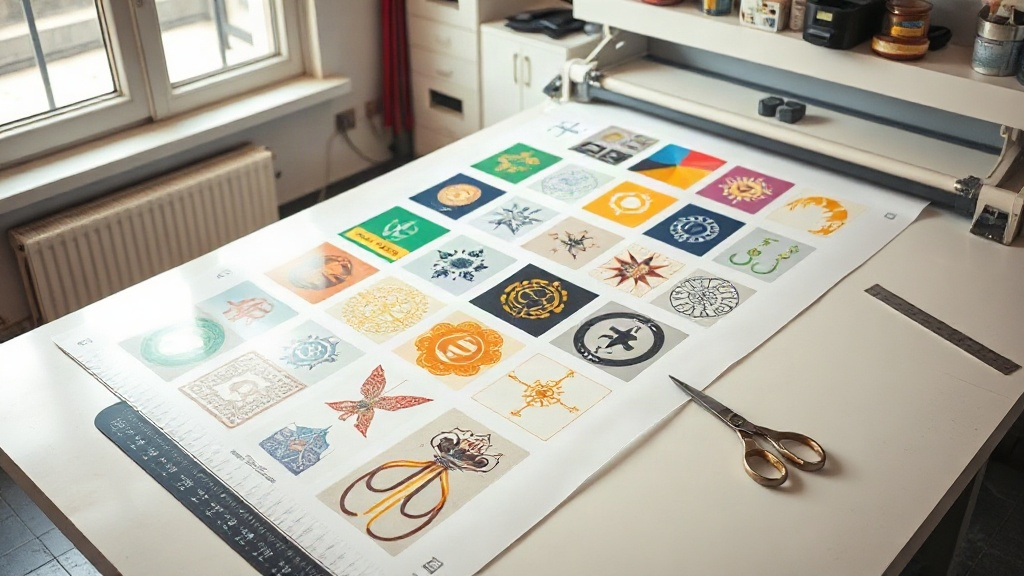
If you're in the custom apparel business, you've likely heard about DTF printing. It's a game-changer for producing vibrant, durable transfers on a wide range of fabrics. But to truly capitalize on DTF's potential, you need to master the art of the gang sheet. A well-organized gang sheet can slash your material costs, reduce production time, and increase your profit margins. In this guide, we'll explore how a DTF gangsheet builder can transform your workflow and help you get the most out of every print.
What Is a DTF Gang Sheet?
A gang sheet is a single sheet of DTF film that contains multiple designs arranged together. Instead of printing one design per sheet, you group many designs onto a larger canvas. This approach maximizes the use of expensive DTF film and ink, and it speeds up the cutting and pressing process because you handle multiple transfers at once.
Imagine you have a rush order for 20 t-shirts, each with a different logo. Printing each logo individually would waste film and time. With a gang sheet, you can fit all 20 logos onto one or two sheets, then cut them apart after printing. The savings in materials and labor are substantial.
Why Use a DTF Gangsheet Builder?
Manually arranging designs in a graphics program can be tedious and error-prone. A dedicated DTF gangsheet builder simplifies the process. These tools are designed specifically for DTF printing, with features that help you optimize layout, minimize waste, and ensure proper spacing for cutting.
Here's what a good builder brings to the table:
- Automatic nesting: The software arranges designs to use the least amount of film possible.
- Precise spacing: It adds consistent gaps between designs, so you can cut them out easily without damaging neighboring transfers.
- Size templates: Common film sizes (e.g., 13" x 19", 22" x 24") are preloaded, so you can start with the right canvas.
- Rotation and alignment tools: You can rotate designs to fit better and align them for a clean layout.
- Cost estimation: Some builders calculate ink and film usage, helping you price jobs accurately.
Without a builder, you might spend hours fiddling with layouts. With one, you can create a gang sheet in minutes.
Key Features to Look for in a DTF Gangsheet Builder
Not all gang sheet builders are created equal. When choosing a tool, consider these features:
1. User-Friendly Interface
You shouldn't need a degree in graphic design to create a gang sheet. Look for a builder with a drag-and-drop interface, clear icons, and intuitive controls. A steep learning curve will cost you time and frustration.
2. Automatic Nesting and Packing
The best builders use algorithms to nest designs efficiently. They consider the shapes of your artwork and arrange them to minimize empty space. This is especially important when printing many different designs.
3. Custom Sheet Sizes
While standard sizes are convenient, you may need custom dimensions for special projects. A flexible builder lets you define your own sheet size.
4. DPI and Resolution Settings
DTF printing requires high resolution (typically 300 DPI) for crisp details. Your builder should allow you to set the DPI and warn you if images are low resolution.
5. Export Options
You'll need to export your gang sheet as a high-quality image file (like PNG or TIFF) that your RIP software can handle. Check that the builder supports the file formats your printer uses.
6. Integration with Design Tools
Some builders integrate with popular design software like Photoshop or Illustrator, allowing you to import designs directly. This streamlines your workflow.
How to Create an Efficient Gang Sheet: Step-by-Step
Even with a builder, following a systematic approach ensures optimal results. Here's a step-by-step guide:
- Gather your designs: Collect all the artwork you need to print. Ensure each design is high resolution and has transparent backgrounds where necessary.
- Choose your sheet size: Select the film size you'll be using. Common sizes include 13" x 19" and 22" x 24". If you're using a roll, you can set a custom length.
- Import designs into the builder: Drag and drop your files onto the canvas. The builder may automatically arrange them, or you can place them manually.
- Optimize layout: Use the builder's nesting feature to pack designs tightly. Rotate designs if needed to fill gaps. Aim for a balance between density and cutability; leave enough space between designs for scissors or a cutter.
- Check spacing and resolution: Ensure there's at least 0.1 to 0.2 inches between designs. Verify that all images are at 300 DPI. The builder might highlight low-res images.
- Preview and export: Before exporting, preview the gang sheet to catch any issues. Then export as a high-resolution PNG or TIFF with a transparent background.
- Print and cure: Send the file to your DTF printer. After printing, apply hot melt powder and cure according to your powder and film specifications.
With practice, this process becomes second nature, and you'll be able to produce gang sheets quickly and efficiently.
Best Practices for DTF Gang Sheets
To get the most out of your gang sheets, keep these best practices in mind:
- Group similar colors: If you're printing designs with similar color palettes, place them together to reduce ink switching and improve efficiency.
- Consider the cut line: Leave enough space between designs for easy cutting. A good rule of thumb is 0.25 inches.
- Use registration marks: If your printer requires them, add registration marks to help with alignment.
- Test with a small sheet: Before committing to a large gang sheet, print a small test sheet to check colors and adhesion.
- Keep a library of common designs: If you frequently print certain logos or phrases, save them as presets in your builder for quick access.
- Maintain your printer: A well-maintained printer produces consistent results, reducing waste.
Common Mistakes to Avoid
Even seasoned printers make mistakes. Here are some pitfalls to watch out for:
- Overcrowding: Packing designs too tightly can make cutting difficult and increase the risk of damaging transfers.
- Ignoring resolution: Low-res images will look pixelated and unprofessional. Always use 300 DPI images.
- Forgetting bleed: If your design has a background, ensure it extends to the edge of the cut line to avoid white borders.
- Inconsistent spacing: Uneven gaps can lead to cutting errors. Use the builder's spacing tools to maintain consistency.
- Not accounting for film shrinkage: Some films shrink during curing. Leave a little extra space if you're unsure.
Frequently Asked Questions
What is the ideal spacing between designs on a DTF gang sheet?
A spacing of 0.1 to 0.25 inches is generally recommended. This allows for clean cutting without risking damage to adjacent transfers. If you're using a cutting machine, check its requirements.
Can I use any image format in a DTF gangsheet builder?
Most builders support common formats like PNG, JPG, and TIFF. For best results, use PNG with a transparent background to avoid unwanted white boxes. Some builders also accept PDF and AI files.
How do I calculate the cost of a DTF gang sheet?
Cost depends on film, ink, and powder usage. To estimate, calculate the area of your gang sheet and multiply by your cost per square inch for materials. Many builders include a cost calculator that factors in these variables.
Is a DTF gangsheet builder necessary for small orders?
Even for small orders, a builder saves time and reduces waste. If you print frequently, the efficiency gains quickly outweigh the cost of the software. Many builders offer free trials, so you can test before committing.
How often should I update my DTF gangsheet builder?
Check for updates regularly. Developers often release improvements for nesting algorithms, compatibility with new printers, and bug fixes. Staying updated ensures you have the latest features.
Conclusion
Mastering the DTF gangsheet builder is a smart move for any DTF printer looking to scale their business. By optimizing your gang sheets, you'll reduce waste, save time, and increase profits. Whether you're a beginner or a seasoned pro, the right tools and techniques can make a significant difference. Start experimenting with different layouts and features, and soon you'll wonder how you ever managed without a gang sheet builder.